
Live Screen Sharing
Share the whole screen, one window or a browser tab. Your partner sees it live and can go fullscreen on any device.
Share your computer screen or view one from anywhere — live, with chat and file transfer. SonicDesk connects devices directly when the network allows it and switches to a secure relay automatically when it doesn't. Nothing to install on the computer.
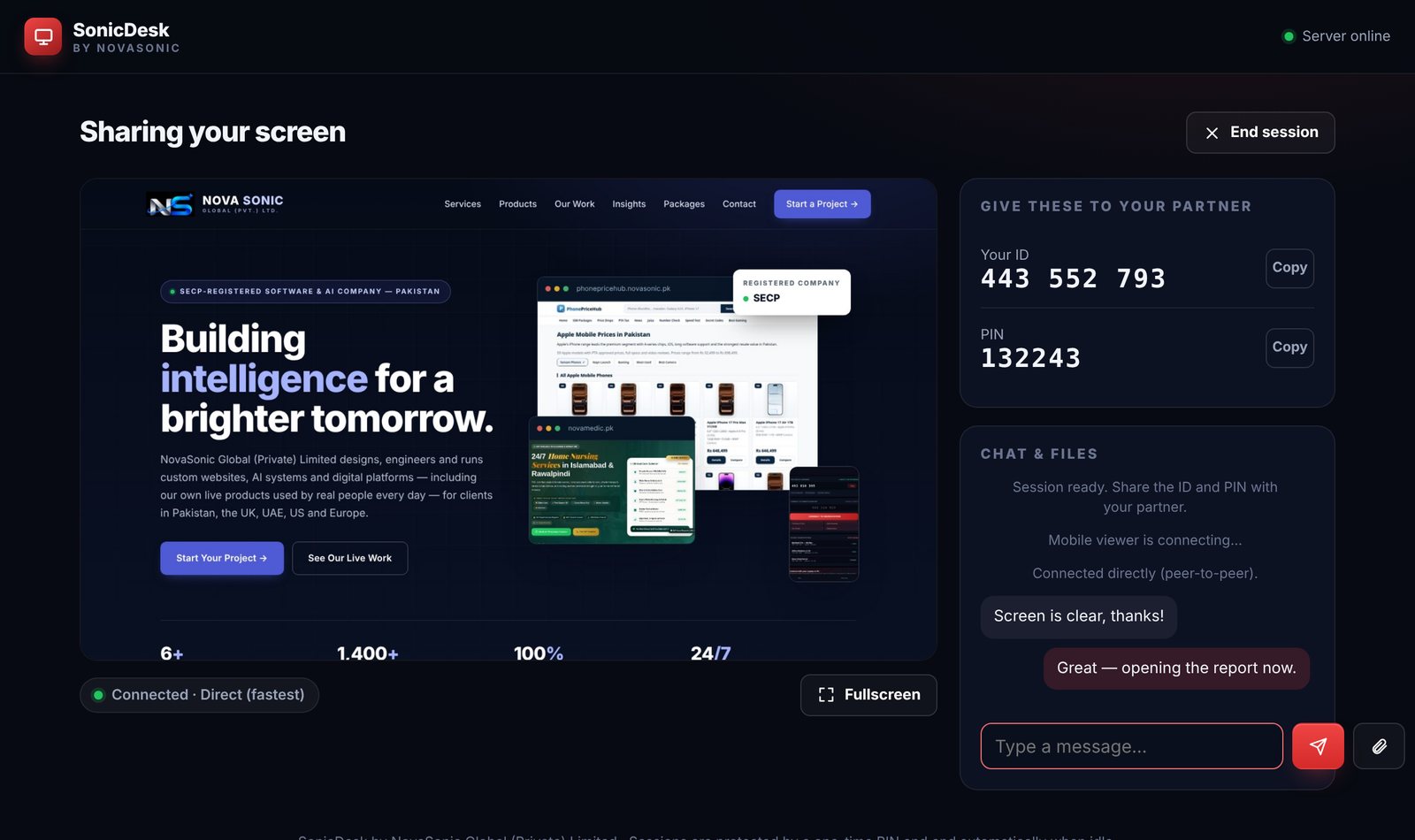
Our own product, designed and engineered in Pakistan — and used to support real customers every day.
Share the whole screen, one window or a browser tab. Your partner sees it live and can go fullscreen on any device.
Direct peer-to-peer on most connections; if an office, hostel or mobile network blocks it, SonicDesk switches to a relay through our server automatically.
Talk during the session and send files straight to the other device — up to 500 MB, without email or cloud uploads.
A new ID and 6-digit PIN for every session, encrypted connections, lock-out after wrong PINs, and the host can end the session at any moment.
Published by NovaSonic Global (Private) Limited. Use the web app on computers, and the web app or Android app on phones.
Runs in Chrome, Edge, Firefox or Safari — share your screen or view one. Nothing to install.
Open SonicDesk →sonicdesk.apk • 13 MB — view a shared computer screen and chat from your phone.
Download .APKOn iPhone or any phone, open SonicDesk in the browser and enter the ID and PIN to view.
Open on this deviceNo accounts, no installation on the computer, no ports to open.
Open SonicDesk on the computer, click “Start sharing” and choose the screen or window.
A fresh 9-digit ID and 6-digit PIN appear. Share them only with the person you trust.
Your partner opens SonicDesk on any device, enters the ID and PIN, and sees the screen live.
Open the Android app (or SonicDesk in your phone's browser), enter the ID and PIN, and watch the computer screen live — on Wi-Fi, 4G or 5G. Chat with the person at the computer and receive files on the spot.
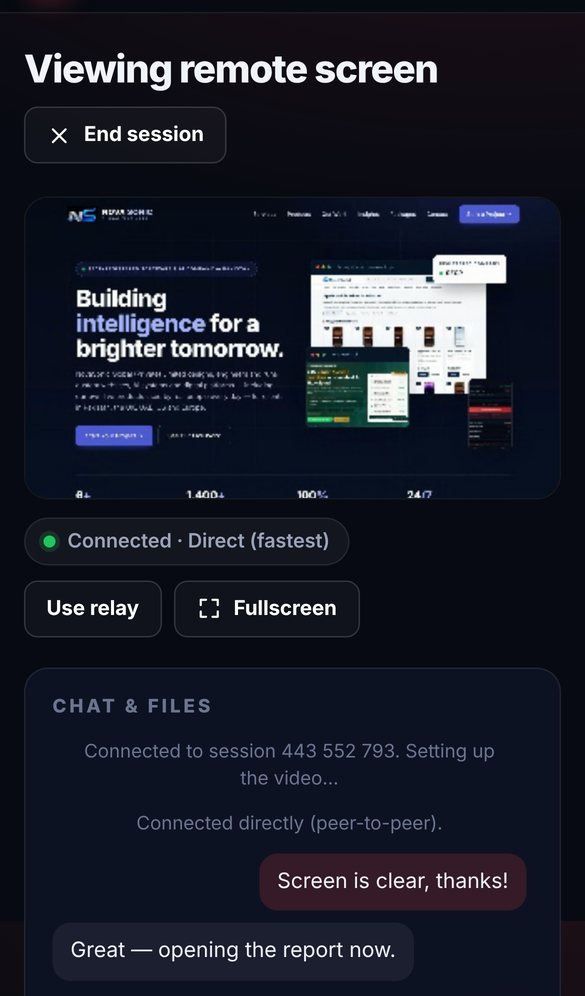
Screen sharing works from a computer browser on Windows, macOS or Linux (Chrome, Edge, Firefox or Safari). Viewing works on any device — computers, the SonicDesk Android app, and phone or tablet browsers including iPhone.
The computer clicks “Start sharing” and gets a one-time 9-digit ID and 6-digit PIN. The other person enters them in SonicDesk and the live view starts. If the two networks can connect directly, video flows peer-to-peer; if not, SonicDesk relays it through our server automatically.
Direct sessions use WebRTC's built-in encryption (DTLS-SRTP) and relay sessions run over HTTPS. Every session has a new ID and PIN, PINs are stored only as a secure hash, repeated wrong PINs lock the session, and the host can end it at any time.
Not yet — SonicDesk currently gives you a live view, chat and file transfer. Browsers do not allow one website to control another computer, so full remote control needs a desktop app. If your team needs it, message us and we'll plan it with you.
SonicDesk is our own product by NovaSonic Global. For team and enterprise licensing, message us on WhatsApp (+92 325 5158852) and we'll share the right plan for your size.
Tell us what you want to build. We reply with honest advice, a clear plan and a fixed PKR quote — no obligation.